For everyone who pauses the telly to ask

Never wonder
who again.

Point your phone at the screen and tap once. Hoozat names the actor you are looking at, tells you what you know them from, and lists everything they have ever acted in.

iPhone · iOS 18.6 or later · No account, no sign-up

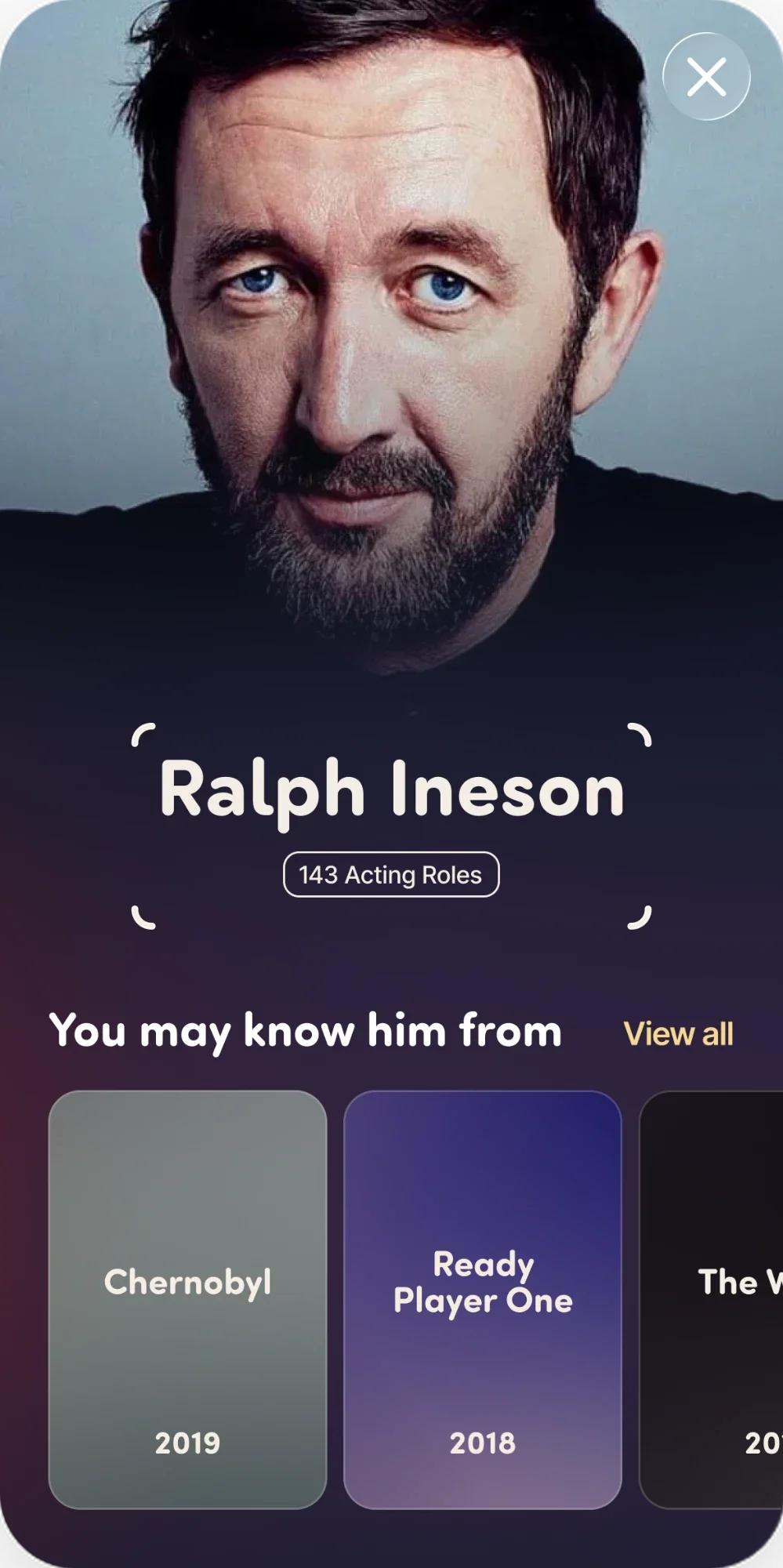
The Hoozat result sheet: a portrait of Ralph Ineson above his name, a tag reading 143 Acting Roles, and a row of the titles he is known for.
Photo: Jamgoodman / CC BY-SA 4.0, cropped — source, licence

Every answer is sourced, and every source is named.

  • Credits and portraitsTheTVDB
  • PhotographsWikimedia Commons
  • BiographiesWikipedia

Three seconds, start to finish

Point. Tap. Know.

  1. Point it at the screen

    Hoozat finds every face in frame and quietly decides which one you mean — the largest, nearest the middle. It brackets that one and outlines the rest. If it picked wrong, tap the person you meant and the target travels to them.

  2. Tap once

    The picture freezes, the rest of the frame goes soft, and the face you chose is lifted out of it. Only that crop leaves your phone. Nothing is stored anywhere but on your device.

  3. Know, in a second or two

    A profile slides up: their photograph, their name, how many acting roles they have, the titles you probably know them from, and a filmography you can filter by year or by film and TV.

Built for the awkward cases

The bits other apps give up on.

Two people on a sofa. A face you only half recognise. A screenshot from three weeks ago. Hoozat has an answer for each of them.

It picks the right face — and changes its mind

Two actors in frame is the normal case, not the edge case. Hoozat chooses one, marks it, and outlines everybody else so you can see they are reachable. One tap moves the target, with a tick you can feel.

Their whole filmography

Every credit, not a top ten. Filter it by year, or down to film, TV or the times they played themselves.

Not them? Pick from the cast

Recognition is not perfect. Say what you are watching, and Hoozat shows you its cast so you can point at the right person yourself.

The last ten people you looked at

Kept on your phone, so opening one again is instant, works with no signal, and costs nothing.

Already have the photo?

Scan straight from your camera roll. Hoozat finds the faces in the picture, lets you choose the one you mean, and asks you to confirm before it spends a scan — because choosing and confirming are two different decisions.
Your camera, your business

The picture stays on your phone.

  • Your scan never leaves the device except for the one call that identifies it.
  • It is never shared, never sold, and never posted anywhere.
  • Where it is kept beside a history entry, it is kept on the device only — and it is deleted the moment that entry goes.
  • No account. No sign-up. Nothing to log in to.

Face recognition isn’t perfect and may be less accurate for some people. If this isn’t right, try a clearer, well-lit, front-on photo.

Questions, answered.

Will it work on anything with a screen?

Television, laptop, tablet, a projector at the back of a pub — if there is a face on it and enough light to see it, Hoozat can read it. It also works on a photograph already in your camera roll.

How accurate is it?

Good, and honest about when it is not. A match Hoozat is less sure of says so on the profile, and every profile carries a way to search the cast of whatever you are watching and pick the right person yourself.

Do I need an account?

No. There is nothing to sign up for and nothing to log in to. Open it and point it.

Which iPhones does it run on?

Any iPhone running iOS 18.6 or later. It is portrait-only, by design — you hold a phone up at a television one-handed.

What happens to the photos I scan?

A crop of the face you chose is sent once, to identify it. The picture itself stays on your phone, and the only copy that is kept is the small one filed beside a history entry — which is deleted together with that entry.

Stop asking
“who is that?”

It takes one tap and about two seconds. Free to try on any iPhone.

Download on the App Store

iPhone · iOS 18.6 or later